

Installation document for SEO Rich Snippets PRO
Requirements
Please make sure you have set the correct permissions for the software as in the list below.
| Administrator permission for OCMOD(How to use OCMOD Opencart ?) | Important |
| FTP settings(How to setup FTP for Opencart?) |
1. Upload
Method 1: Directly upload from only one xxx.ocmod.zip file
Notice: You must extract downloaded zip file to get the installation file. File name must have the extension [extension file name] OC v*.* - v*.*.ocmod.zip,
so you should not change the file name under any circumstances.
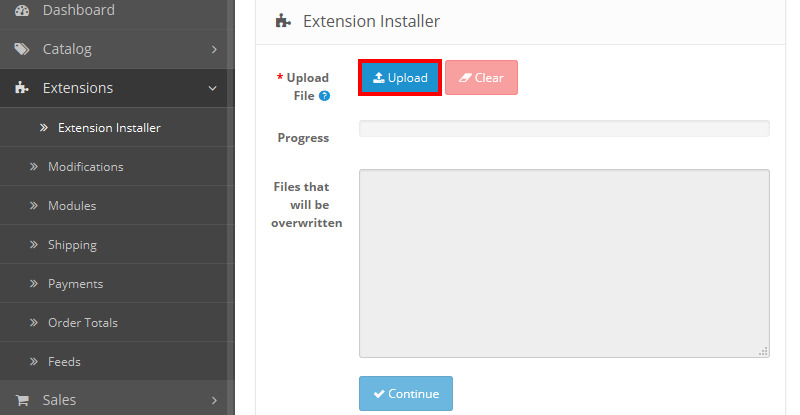
Firstly, go to your Opencart admin panel -> Extensions -> Extension installer -> Upload your file -> Continue
Method 2: https://mmosolution.com/blogs/how-to-use-ocmod-opencart-by-FTP-without-extension-installer.html
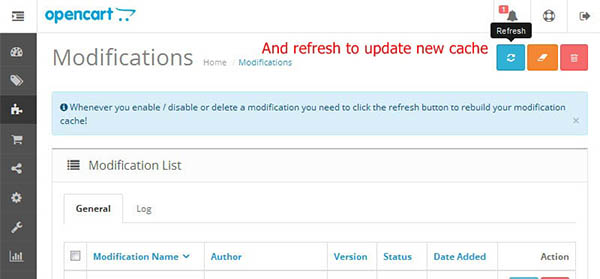
Secondly, you should go to Modifications -> Click refresh and clear buttons as per image below:
3. Installation
Go to Extensions → choose type as image 3
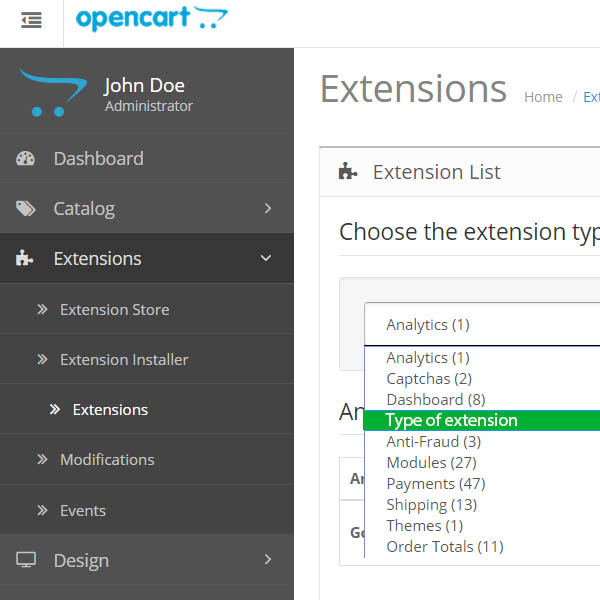
Image 3
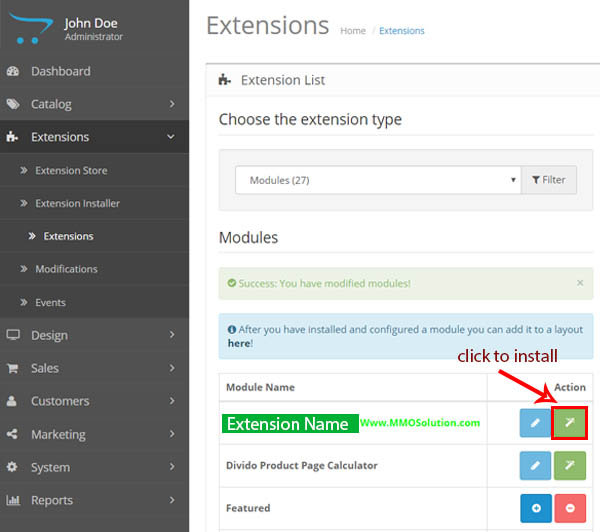
then Find [Extension] and click install as image 3.1
4. Configuration
Congratulations!
Extension is now installed and configured. You can access it from Extensions > type Module > [extension] then click [ Edit ]
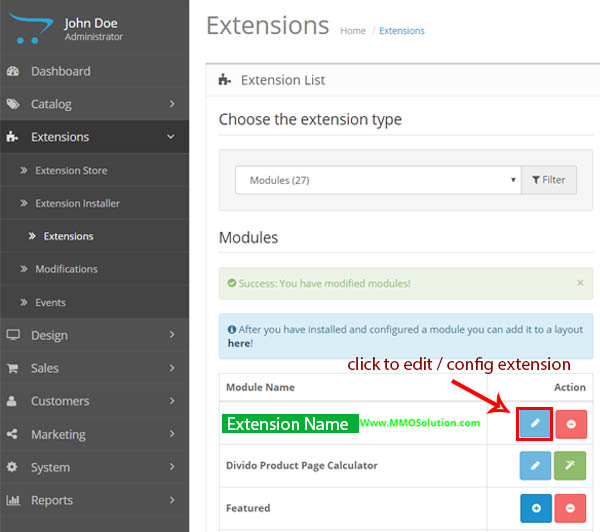
5. Configure& Enjoy new extension
5. Configure& Enjoy new extension